
Submit Project

Have you been invited to apply your organization to the SAP Restcent program?


Then let's go! Your organization is registered centrally on the Haus des Stiftens website www.foerderprogramme.org. After you have registered your organization, it will be checked and approved by Haus des Stiftens.

Below is a step by step guide on how to submit your application to the SAP Restcent program.

Logo Haus des Stiftens

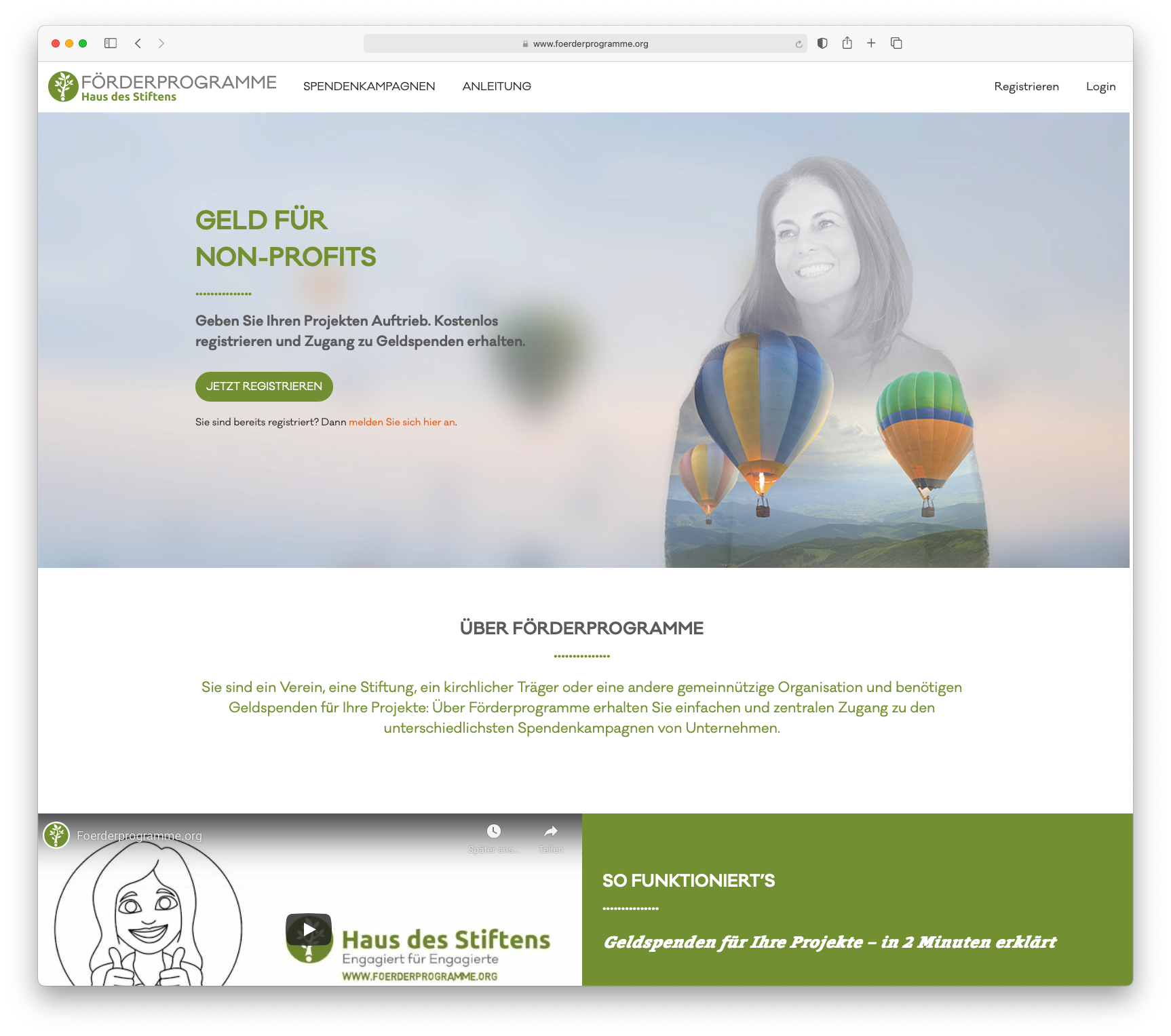
1. Register and create profile

Register your organization on Förderprogramme.org and create an organization profile. To do this, you will need, among other things, your organization's bank details, logo, organizational description, and current certificate of exemption.

As soon as the organization profile is complete, Haus des Stiftens checks the non-profit status and your information. When the check is complete, you will receive a message via email (please check your spam folder if necessary).

Already registered?
If you are already registered with your organization at Förderprogramme.org, you can start directly with step 2.

Screenshot Frontpage Förderprogramme

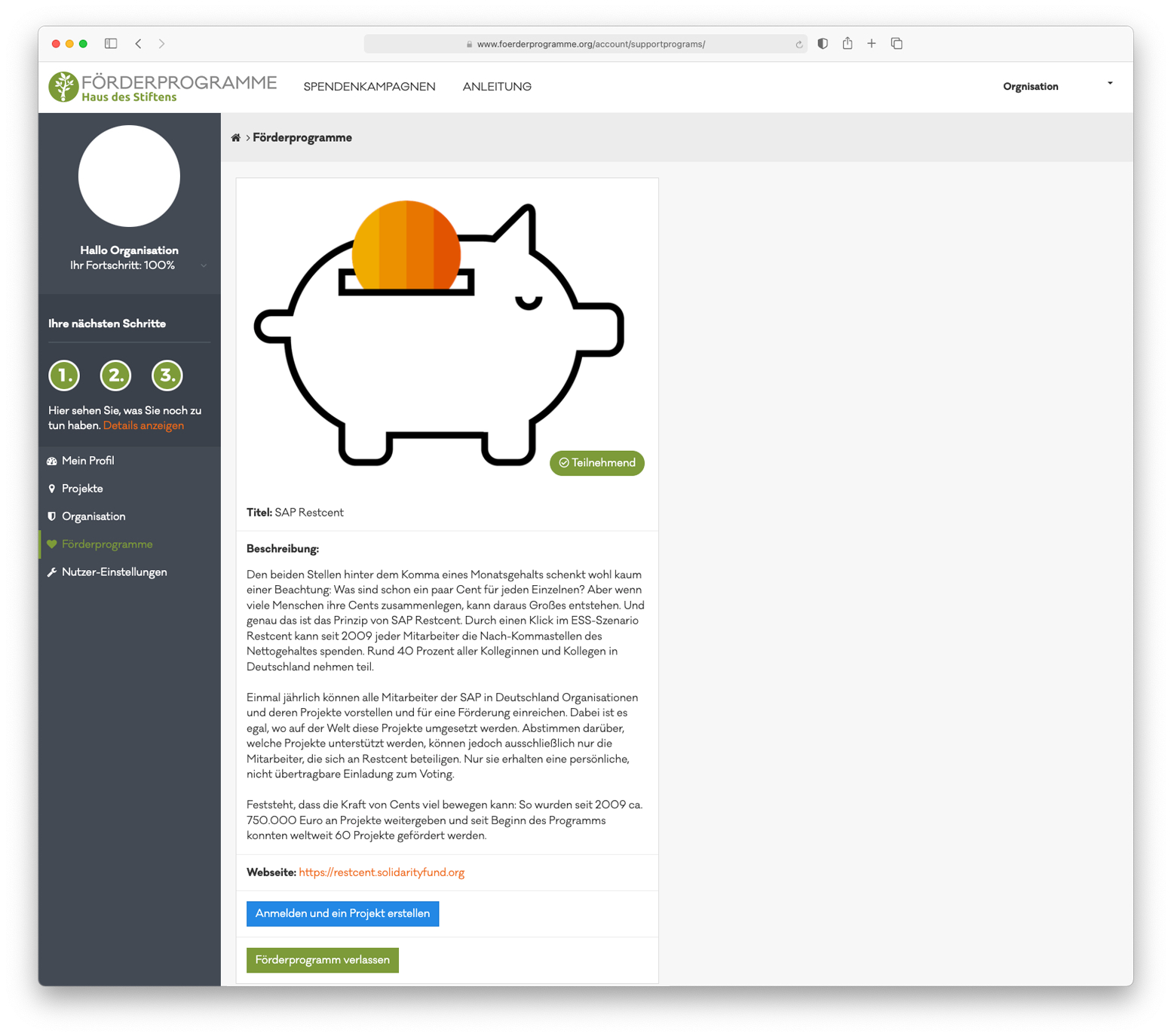
2. Confirm participation in the SAP Restcent program

If your organization has a complete and verified profile (see step 1) and has been approved by Haus des Stiftens, your organization will be added to the SAP Restcent program.
As soon as this is done, you will receive a message via e-mail. If you then log in, the SAP Restcent program will be displayed under the menu item "Support programs".

Now click on the green "Participate" button in the tile below. Please confirm the privacy policy and the conditions of participation.

After that, a blue button "to the donation programme" will appear (this may take a few seconds, you may need to reload the website). The blue button will automatically redirect you to the backend of the SAP Restcent program where you can submit the application. Continue with step 3.

Screenshot choose support program

3. Create project

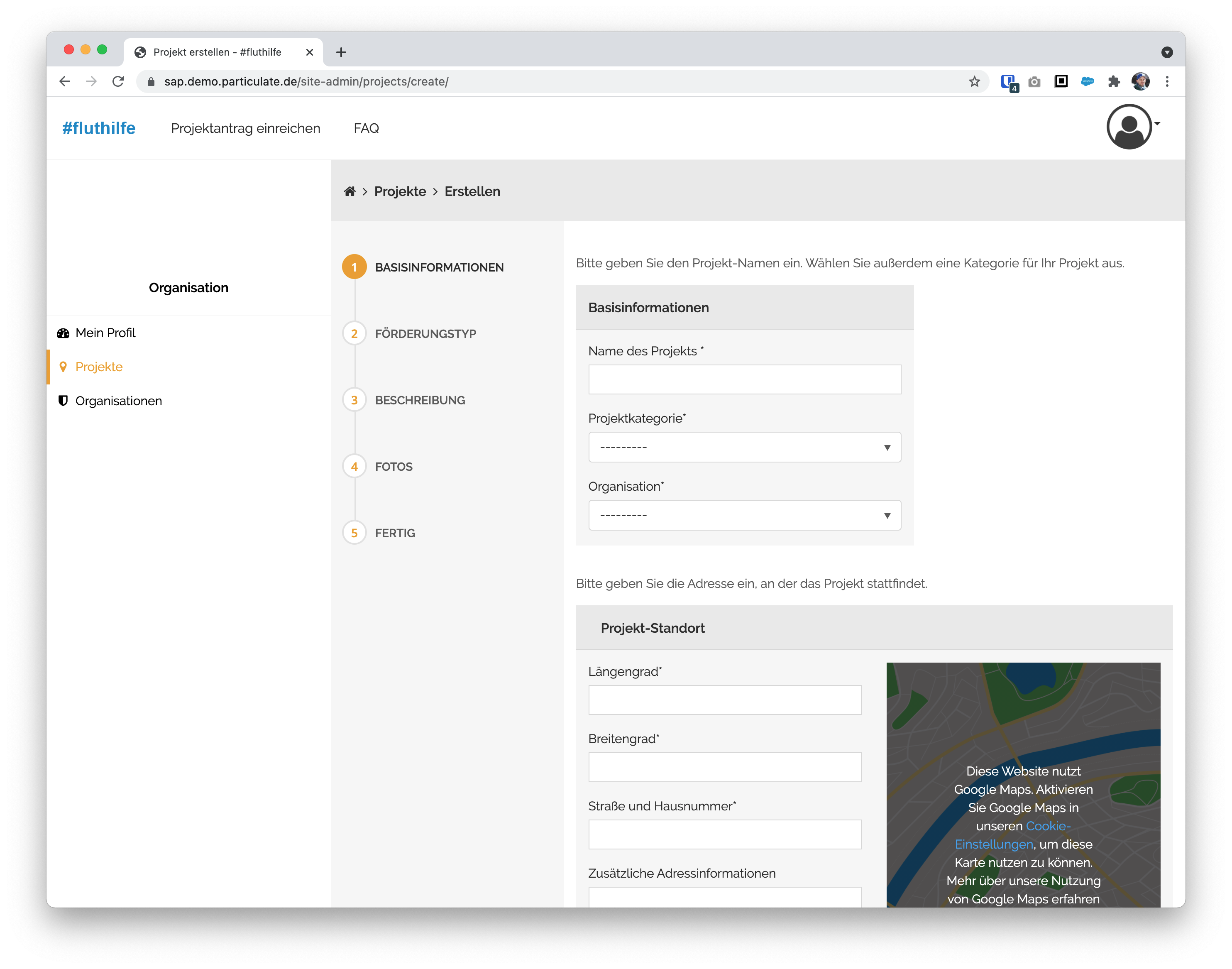
In your profile of the SAP Restcent program, you can now submit a funding request. To do this, click on "Projects" in the menu on the left and then on the "Create project" button. Follow the instructions step by step and fill in all fields.

If you do not have all the information at hand, you can also add the missing information later. Important here: In order to get back to your profile of the SAP Restcent program, you have to register via förderprogramme.org and log in via the blue button "to the donation programme" (see step 2).

As soon as all data has been filled in completely by you, your application will be checked. After a decision has been made, you will automatically receive an e-mail with the message whether your project can participate in the voting of the SAP Restcent program.

Screenshot create project

No, I am not yet registered with Förderprogramme.org with my organization

New register

Yes, I am already registered at Förderprogramme.org with my organization

Log In